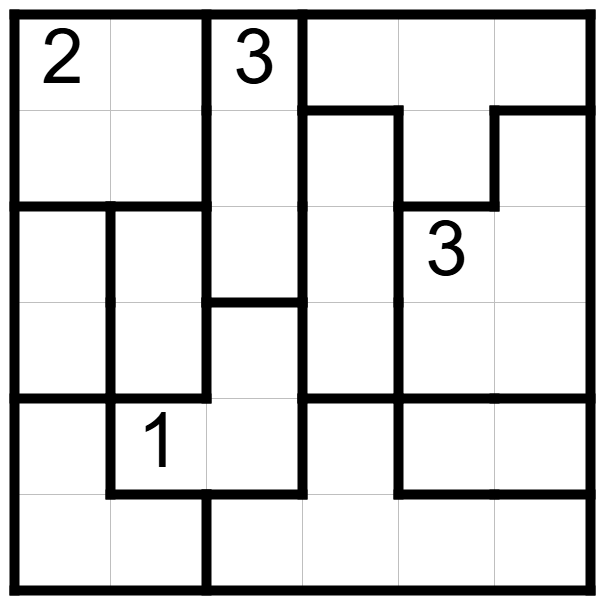
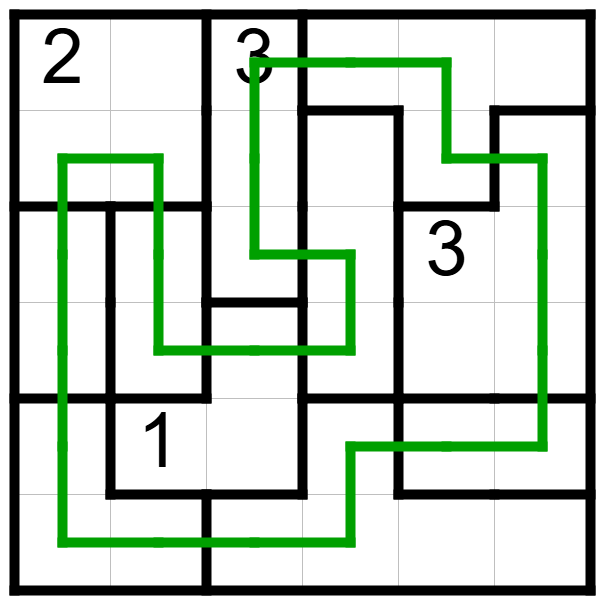
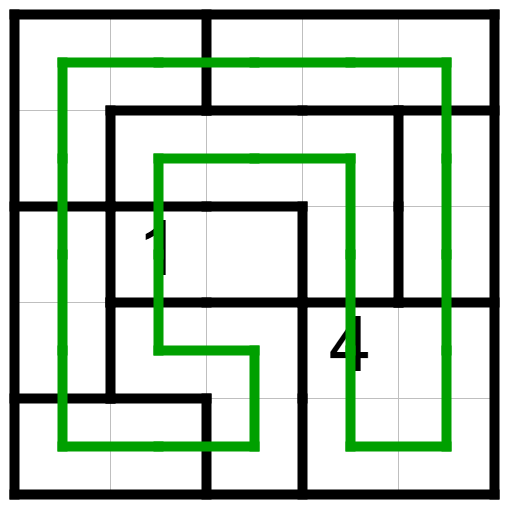
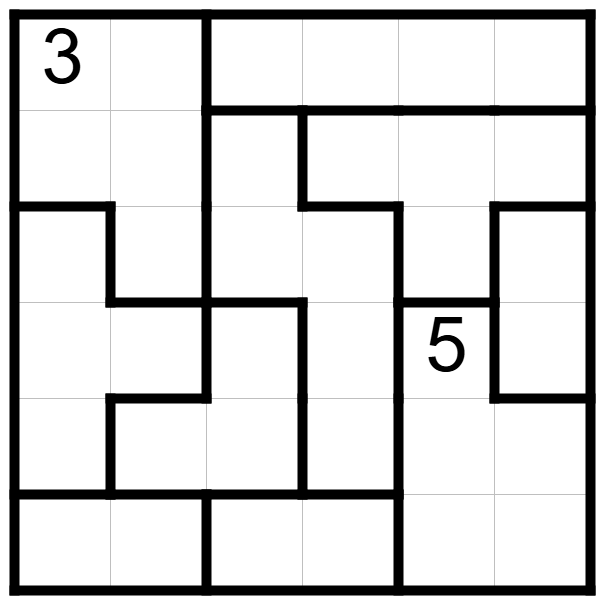
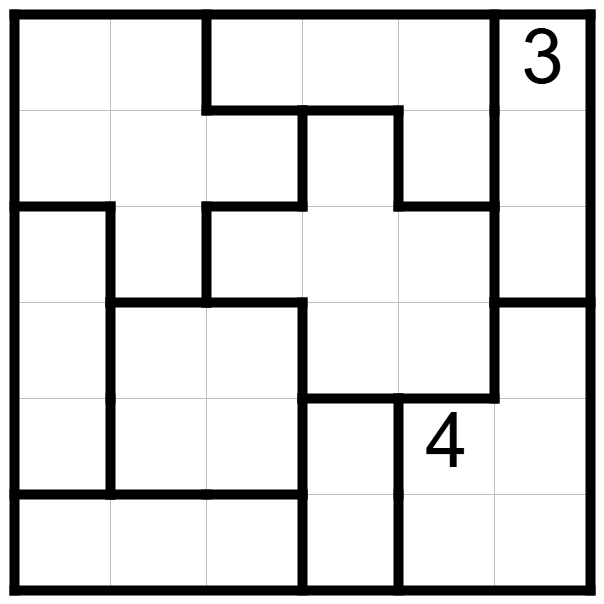
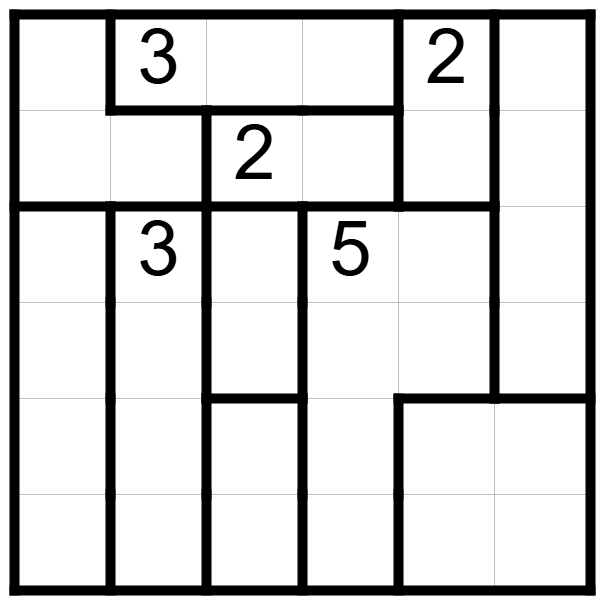
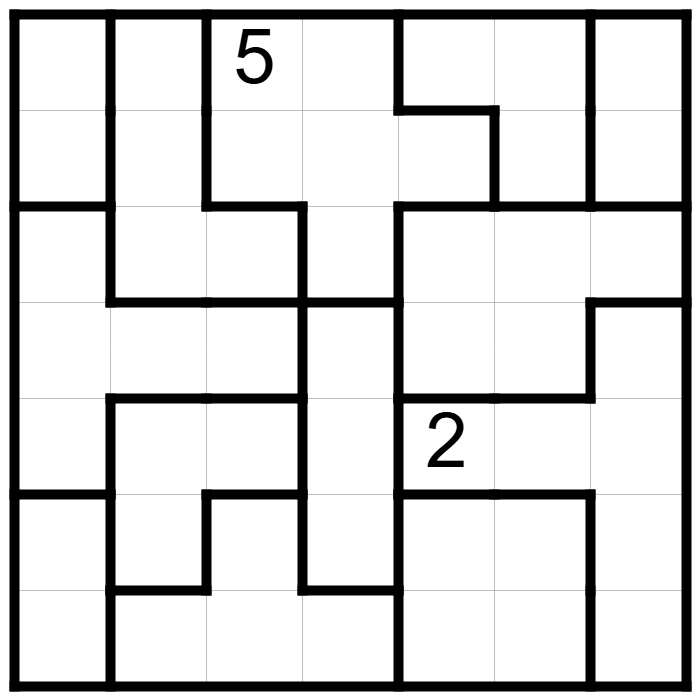
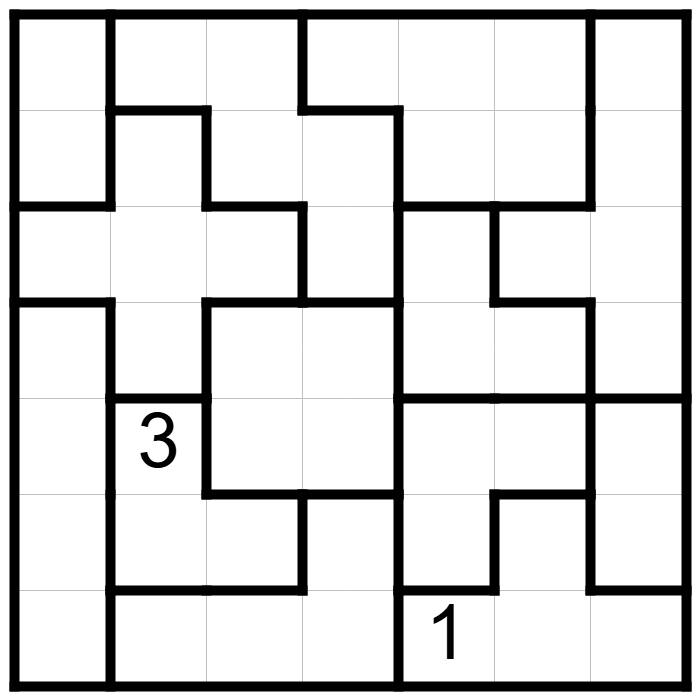
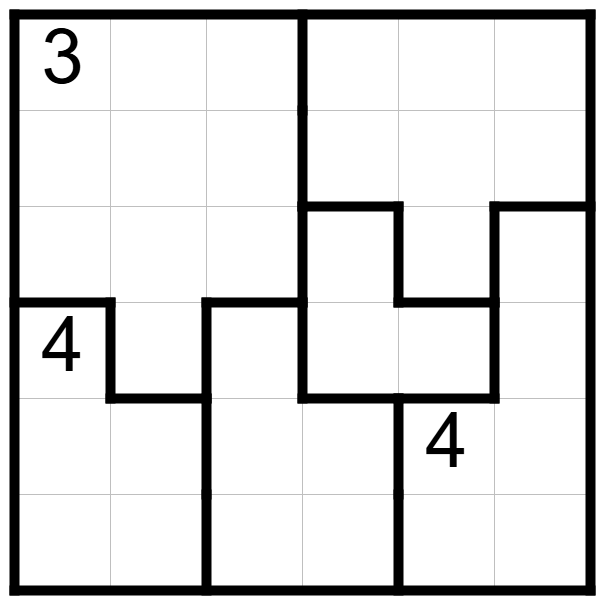
Draw a continuous loop that does not cross or branch.
The loop must pass through each region exactly once.
The number in a region indicates how many cells of that region are visited by the loop.
In regions without a number, the loop may visit any number of cells.
If two adjacent cells are not visited by the loop, they must be in the same region.
Loading...
Loading...
mode |
Edit mode
Answer mode
Input Type |
LR Button
One Button
Input Triangle Type |
Corner-side
Pull-to-Input
One Button
Input Mode |
Auto
Shaded cells
Unshaded cells
Number
Number (rev)
Alphabet
Alphabet (rev)
Question marks
Question marks (rev)
Border
Aux. conn. lines
Direction
Arrows
Unshaded circles
Shaded circles
Goats
Wolves
Marks of moon
Marks of sun
Invalid cells
Icebarns
Water hazard
Crocks
Shaded dots
Inequality marks
Circles
Triangles
Rectangles
Question marks
Lines
Cross marks
Aux. dir. marks
Bars
Blubs
Stars
Balloons
Iron balls
Futons
Completion
Copy circles
Copy nums
Drag inc. nums
Drag dec. nums
Aux. dots
Aux. circles
Aux. crosses
Aux. circles
Aux. crosses
Bgcolor 1/2
Bgcolor 1
Bgcolor 2
Draft sketch
Erase data
Check line connection
Check shaded cell connection
Check route
Display |
Original Type
Gray Background
Display |
Original Type
Sokoban Type
Waritai type
Display as object moving
Enable to Input BGColor when the center of the cell is clicked
Enable to support inputting triangles
Grey each correct numberPaint background of each completed blockPaint background of each completed block and numberPaint background of each shined blockGrey each letter which links over two segments
Show overlapped number as redDraw loop line as redDraw loop line as bold
Paint background of question circles
Paint background of uninputted cells
Enable to input aux mark of direction
Enable to draw line only between the points
Disable drawing segment passing over a lattice point